Notion Integration
Keep clients, projects, tasks, and time in Notion
If your company runs on Notion, your time data can live there too. The Notion integration imports clients, projects, and tasks from your Notion databases and syncs time entries in both directions, so hours sit next to the work they belong to.
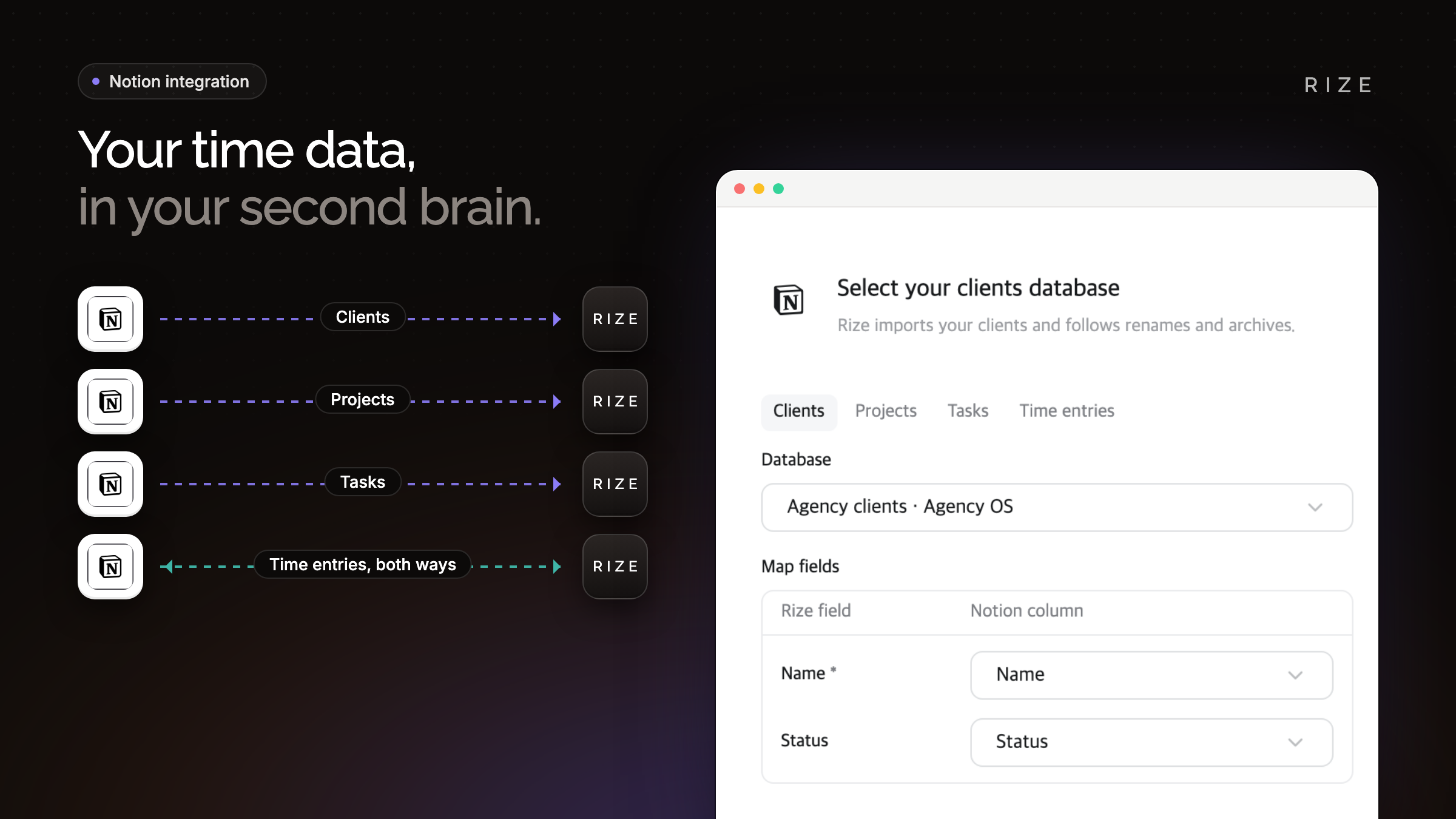
What syncs
| Notion database | Direction | What happens |
|---|---|---|
| Clients | Notion to Rize | Rize imports your clients and follows renames and archives. |
| Projects | Notion to Rize | Rize imports your projects and keeps them up to date. |
| Tasks | Notion to Rize | Rize imports your tasks and keeps them up to date. |
| Time entries | Both ways | Time tracked in Rize is written to Notion, and edits made in Notion come back to Rize. |
Each database is optional. You can sync clients and time entries and leave projects or tasks out.
Connecting Notion
Go to Settings > Integrations and open Notion.
One connection syncs the Notion workspace for your whole team. Connecting it takes a Notion workspace admin who is also a Rize admin.
Connect your Notion workspace
Authorize Rize in Notion. When you return, Rize confirms the workspace that is connected.
Choose the Rize team
Pick which Rize team the Notion workspace syncs with.
Select a database for clients, projects, tasks, and time entries
For each one, search for the Notion database to use, or choose to skip it. If you do not have a database yet, Rize can create one inside a page you choose.
Map fields
Match each Rize field to a Notion column, for example Name and Status for clients, and Name, Time, Member, Client, and Project for time entries.
Import members and start syncing
Optionally import your Notion members, review the summary, and click Start syncing. The first import can take a few minutes.
Working with synced data
Synced clients, projects, and tasks appear in Rize like any others, and Rize's AI uses them when it tags your time. Manage their names and status in Notion; changes flow into Rize.
Time entries land in the Notion database you picked. Because they are ordinary Notion rows, you can relate them to project pages, roll hours up on a client page, or build views by person and week.
Better tagging
Rize tags time against the clients, projects, and tasks your team already maintains in Notion.
Time next to the work
Hours live in the same workspace as your project pages and client records.
One source of truth
Notion stays the place you manage clients, projects, and tasks. Rize follows.
Plans
The Notion integration needs the Pro plan or higher.