Skills and Agent Context
Teach the Agent how your team works
Skills are reusable instructions for the Rize Agent. Agent Context is standing guidance about a person, team, or workspace. Together, they help chats, reports, routines, and MCP clients interpret your time the same way your team does.
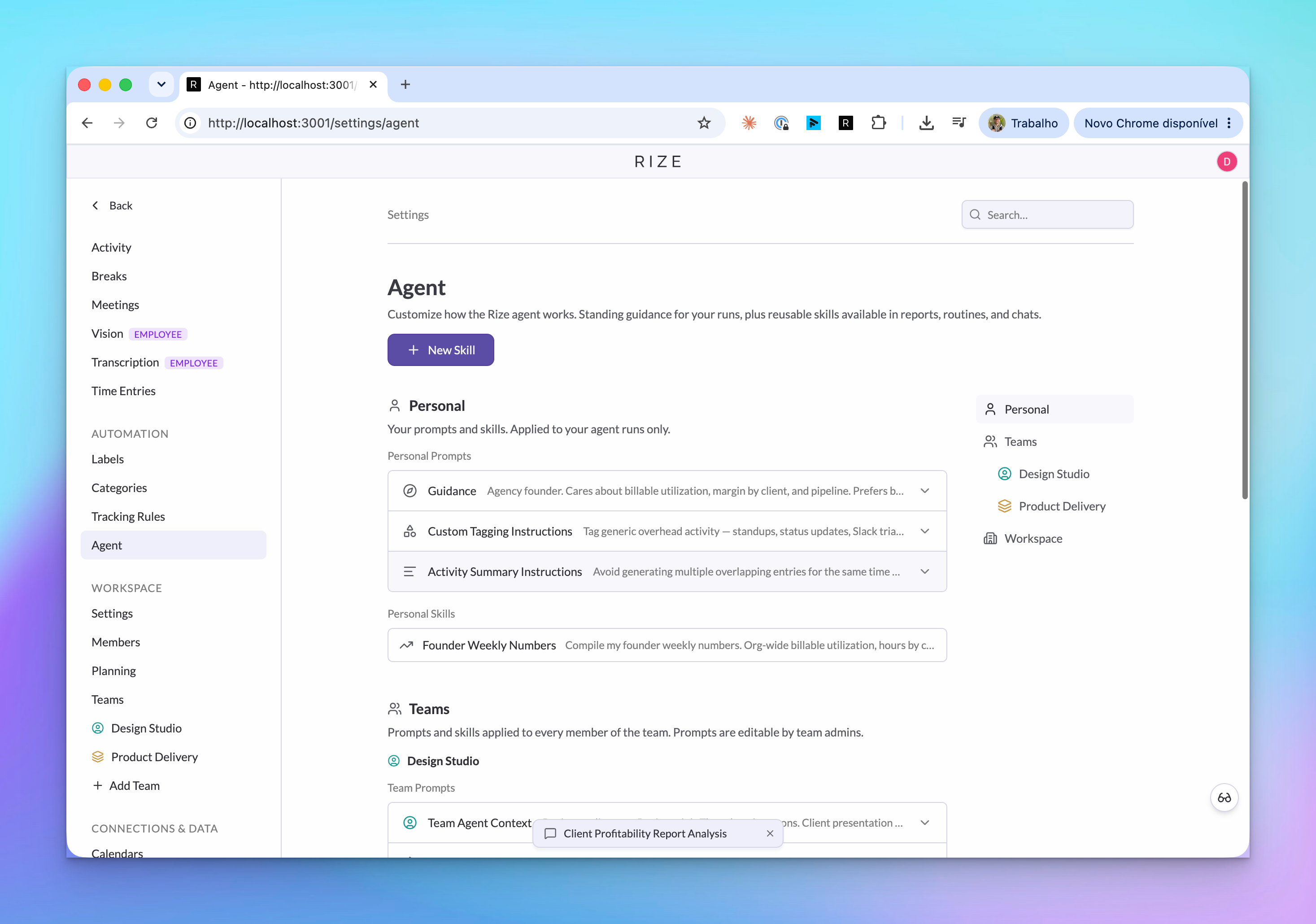
Skills
A Skill is a saved instruction the Agent can reuse. Use Skills for the rules you do not want to retype: how to tag a client, how to write a weekly update, how to classify billable work, or how a team wants reports structured.
Each Skill has a name, icon, visibility, and prompt.
| Visibility | Who can use it |
|---|---|
| Personal | Only you |
| Team | Members of the selected team |
| Workspace | Members across the workspace |
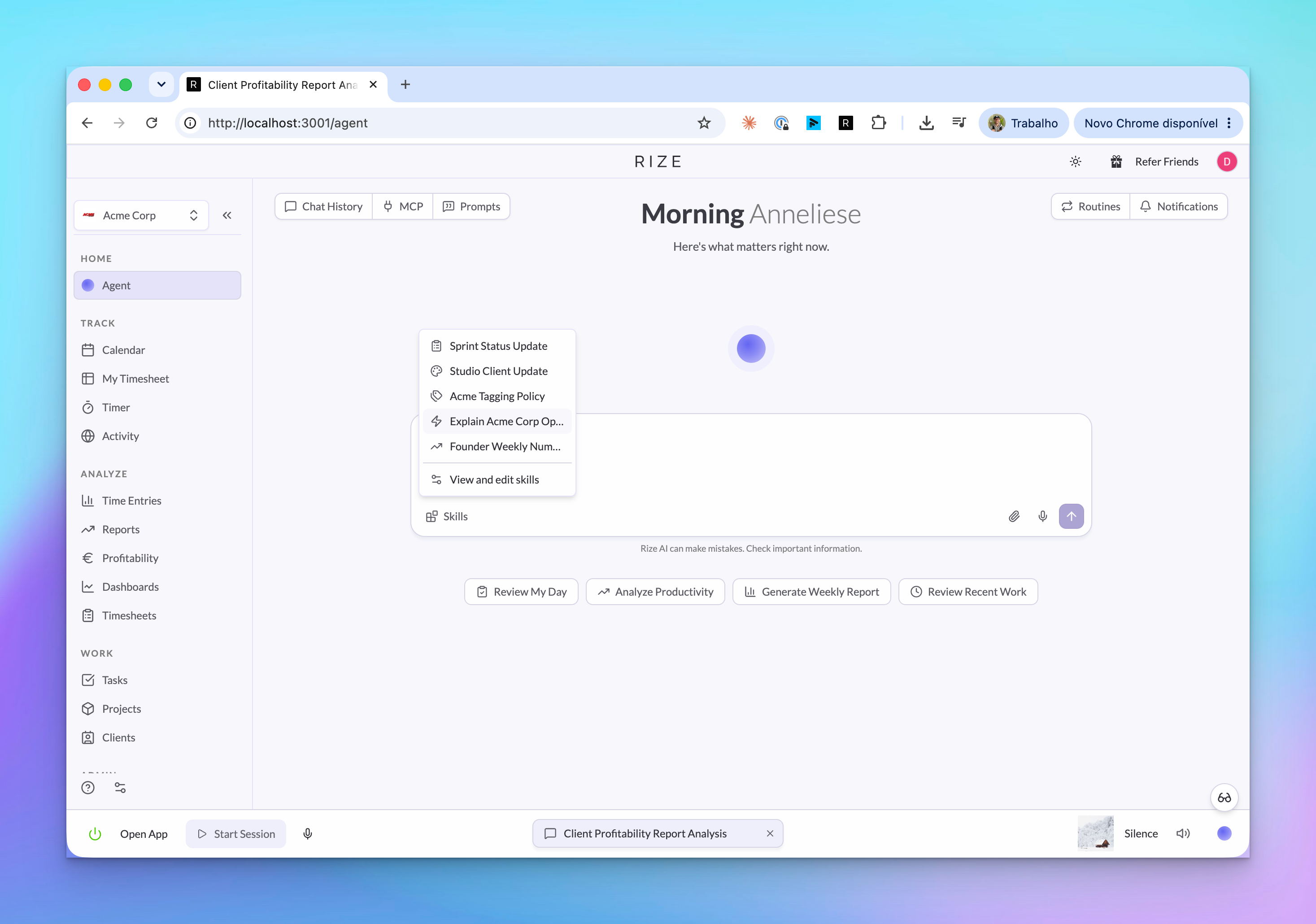
Create a Skill
Open Settings > Agent
The Skills section lists the Skills you can use and the ones you can manage.
Choose New Skill
Give the Skill a clear name and icon. Pick personal, team, or workspace visibility based on who should reuse it.
Write the instruction
Describe the rule in plain language. Be specific about client names, billing rules, labels, or output format.
Generate or refine
Start rough if needed. Rize can turn a short draft into a more complete instruction you can review before saving.
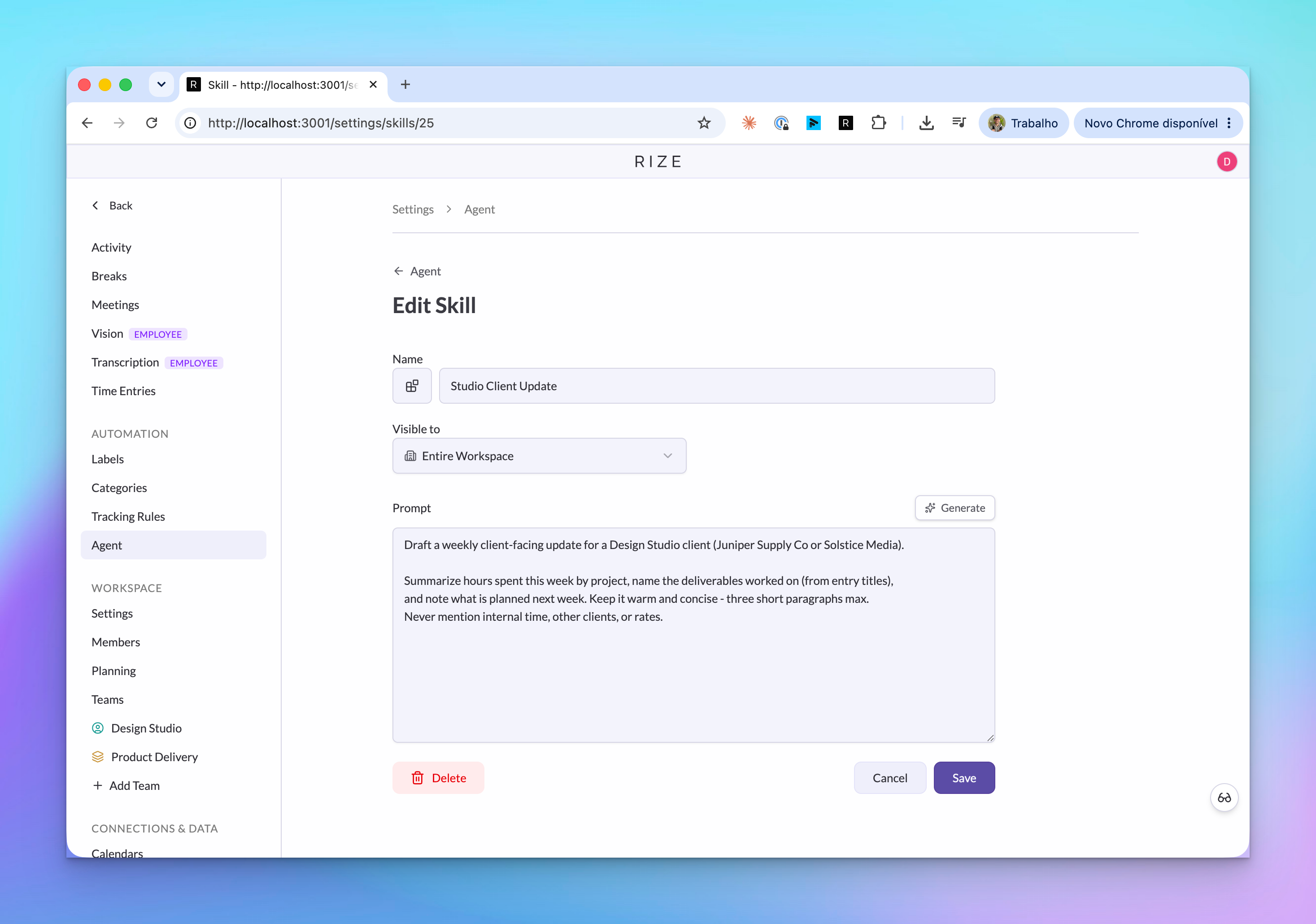
Use Skills in the Agent
The Agent composer has a Skills picker. Selecting a Skill inserts a reference into your message so the Agent uses that instruction for the answer.
Skills also work in:
- Reports: Keep a recurring report aligned with a client policy or review format.
- Routines: Apply the same morning brief or team check-in structure each time.
- MCP clients: External agents can list Skills and fetch a Skill by
rize://skill/:id.
A Skill only appears where your account can use it. External agents connected through MCP receive the same Skill visibility as your Rize account.
Agent Context
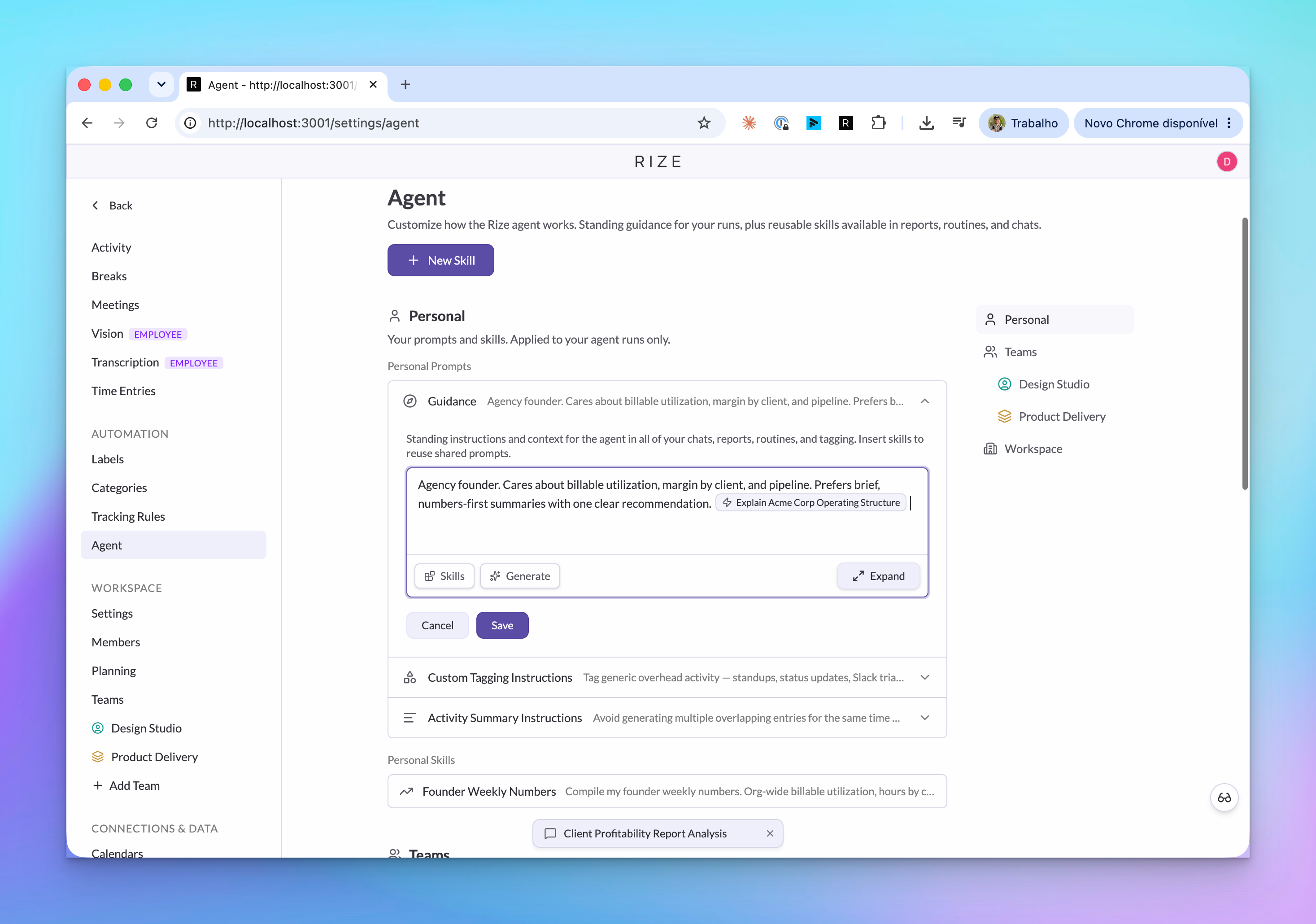
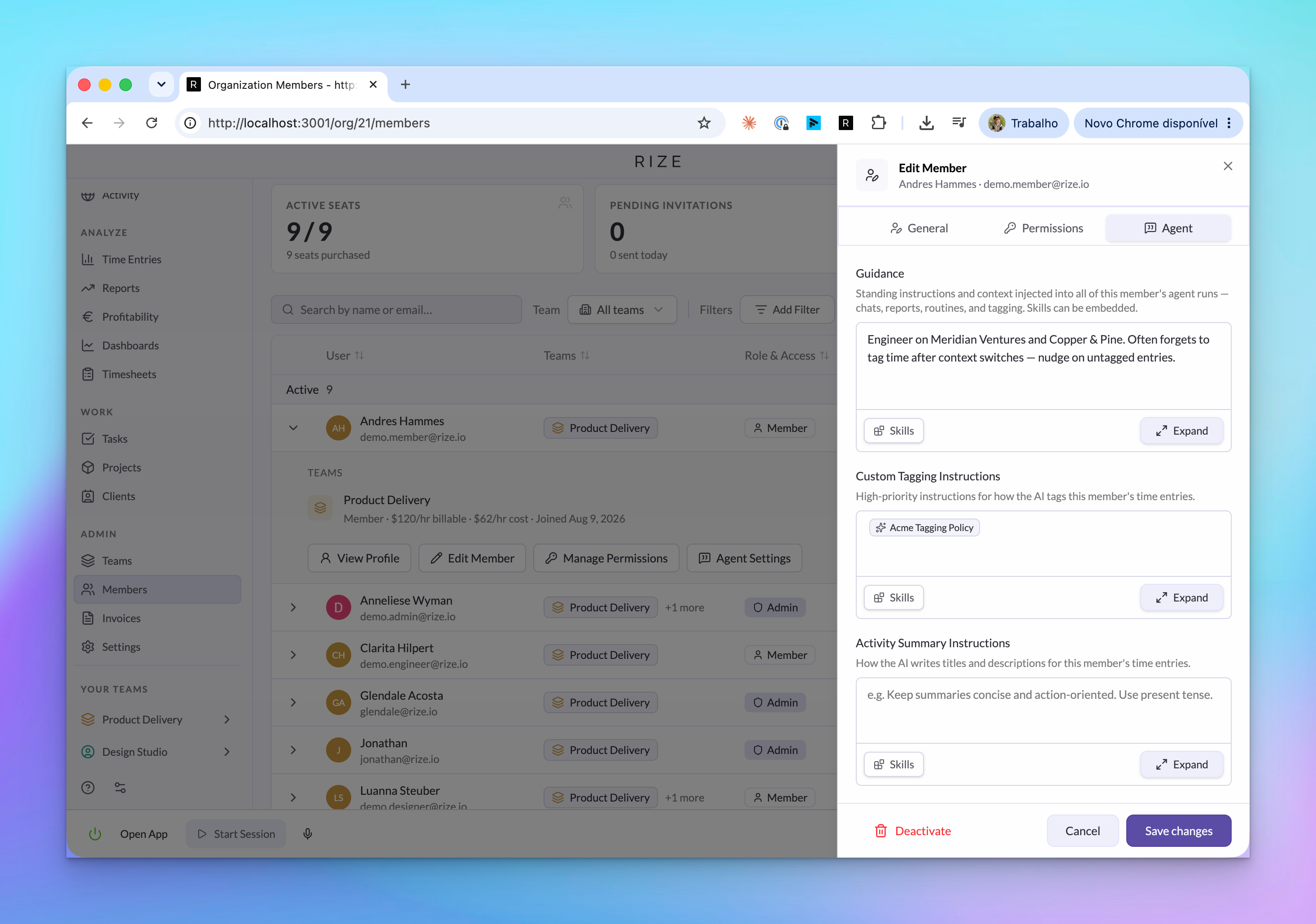
Agent Context is standing guidance that Rize includes when the Agent works for a person, team, or workspace.
| Context level | What it is good for |
|---|---|
| Personal | Your role, priorities, preferred summary style, and recurring caveats |
| Team | Team tagging rules, delivery expectations, review format, and shared terminology |
| Workspace | Company-wide definitions, billing policy, client naming, and operating rules |
Context is layered from workspace to team to personal. More specific context can add detail without copying the broader company policy into every prompt.
Admin-managed settings
Admins can manage Agent settings for members where their role permits it. This helps teams keep tagging instructions and report behavior consistent without asking every member to configure the same policy by hand.
The permission model follows the rest of Rize:
- Team admins can manage team-level guidance for teams they administer.
- Org admins can manage workspace-level guidance.
- Member-level settings are available to admins who can manage that member.
- The Agent never receives data or edit access beyond the signed-in account's role.
MCP tools
The Rize MCP server exposes the same Skill and context primitives:
| Tool | Use it for |
|---|---|
list_skills | List visible Skills |
get_skill | Read one Skill by ID or rize://skill/:id reference |
get_member_agent_settings | Read a member's Agent settings where permitted |
update_member_agent_settings | Update member guidance where permitted |
update_team_agent_context | Update team guidance |
update_workspace_agent_context | Update workspace guidance |