Report Templates
Presets for the reports most people build anyway
A template prefills the layout, sections, prompt, scope, cadence, and send time. Everything stays editable after you pick one, so a template is a starting point rather than a commitment.
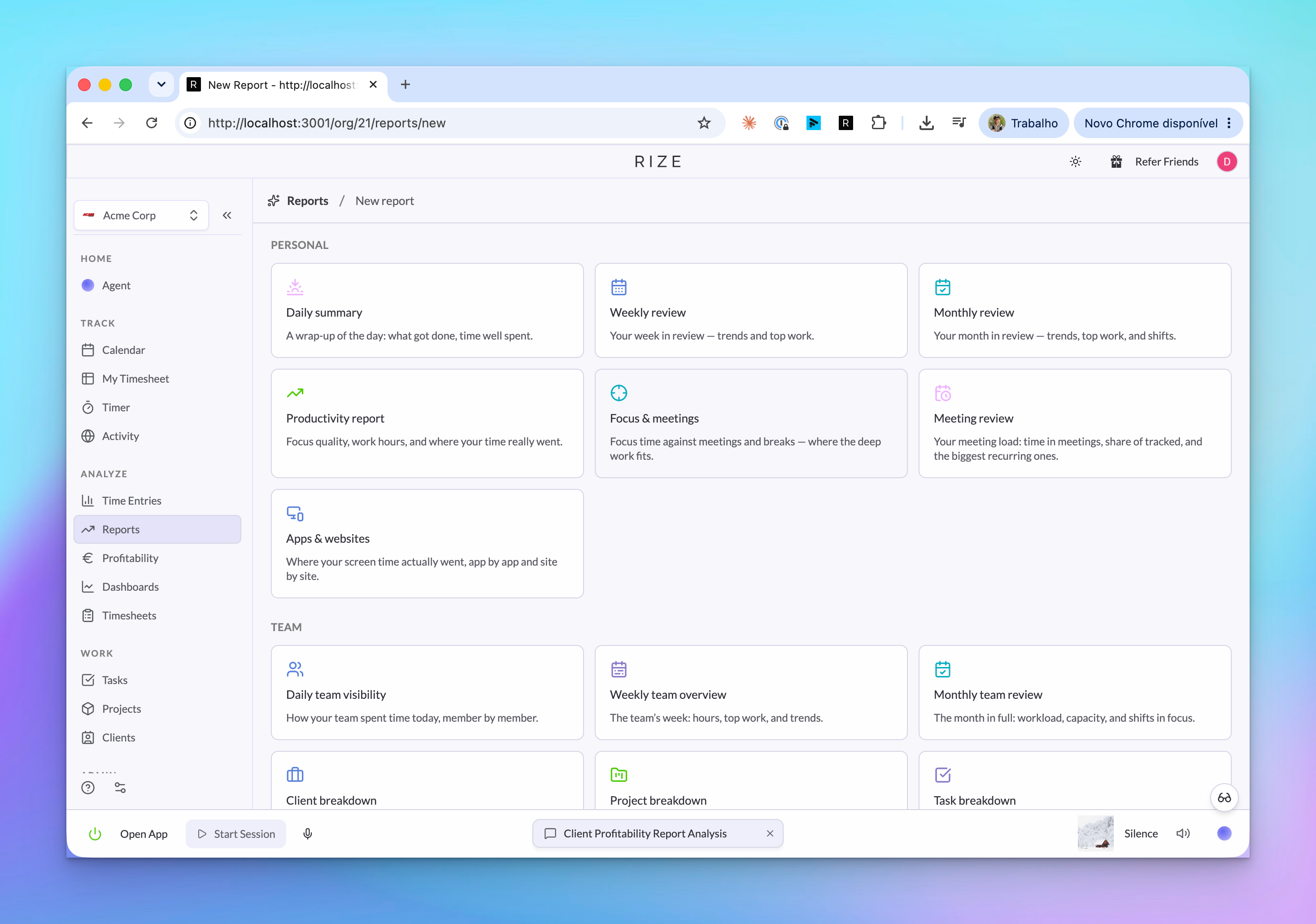
Personal templates
| Template | What it covers | Layout | Default cadence |
|---|---|---|---|
| Daily summary | The day's main threads, how it compared to your recent average, your longest focus block, and entries that need cleanup | Template | Daily, 5pm |
| Weekly review | The 3-4 bodies of work that defined the week, the week's shape against the prior one, mix shifts, and untagged time | AI Generated | Weekly, Friday 4pm |
| Monthly review | The month at a glance, week-by-week hours, top projects and clients, and month-over-month trends | AI Generated | Monthly, last day |
| Productivity report | Work hours, focus vs meetings, your best and worst blocks, apps and websites, and trends | AI Generated | Weekly, Friday 4pm |
| Focus & meetings | The focus/meeting split, your longest uninterrupted sessions, and where meetings fragmented the day | AI Generated | Weekly, Friday 4pm |
| Meeting review | Total meeting time, its share of tracked hours, and your biggest recurring meetings | AI Generated | Weekly, Friday 4pm |
| Apps & websites | Screen time app by app and site by site, work vs drag, and what shifted | AI Generated | Weekly, Friday 4pm |
Team templates
Every team template uses the AI Generated layout.
| Template | What it covers | Scope | Default cadence |
|---|---|---|---|
| Daily team visibility | Members off their own pattern today, where the team's hours went, and a one-liner per member | Team | Daily, 5pm |
| Weekly team overview | Team hours vs last week, where effort went by project and client, label mix, and per-member load | Team | Weekly, Friday 4pm |
| Monthly team review | The month's arc, what compounded or wound down, effort by label, and capacity per member | Team | Monthly, last day |
| Client breakdown | Hours by client, each client's share, concentration risk, and the underserved tail | Team | Weekly, Friday 4pm |
| Project breakdown | Hours by project, momentum, stalled work, and one staffing move worth considering | Team | Weekly, Friday 4pm |
| Task breakdown | Hours task by task, the heavy hitters, and how concentrated the period was | Team | Weekly, Friday 4pm |
| Label breakdown | Effort by label, imbalance against stated priorities, and unlabeled coverage | Team | Weekly, Friday 4pm |
| Team hours | Hours per member, outliers against each member's own baseline, and load balance | Team | Weekly, Friday 4pm |
| Meeting overview | The team's meeting load, top recurring meetings, and who carries the most | Team | Weekly, Friday 4pm |
| Client profitability | Revenue, delivery cost, margin, and hours for every client contract | Workspace | Monthly, last day |
| Multi-team overview | Hours across every team in the workspace, side by side | Workspace | Weekly, Friday 4pm |
Client profitability is built from workspace-wide contracts, and multi-team overview spans every team, so both use Workspace scope even though they sit with the team templates. Workspace reports default to admin visibility.
Start from scratch
The scratch template gives you an empty report to build from the sections available to your chosen scope. Its prompt field starts as a short guide instead of a recipe: say what to analyze, over what period, in what format, and which metrics or comparisons to include.
A prompt that works:
Analyze how much time I spent in meetings this month versus last month, identify my biggest recurring interruptions, and recommend two ways to reclaim focus time.
Borrowing a template's prompt
Every template's prompt is visible and editable once you pick it. They follow a consistent shape worth copying into your own reports:
- Name the sections to cover, in priority order.
- Say what kind of insights to produce — a highlight, an anomaly, a trend, a recommendation.
- Require a number on every claim and a name on every recommendation.
- Say what to do when there is nothing to report, so the AI does not invent a problem on a healthy week.