Invoicing
Bill from time you never logged
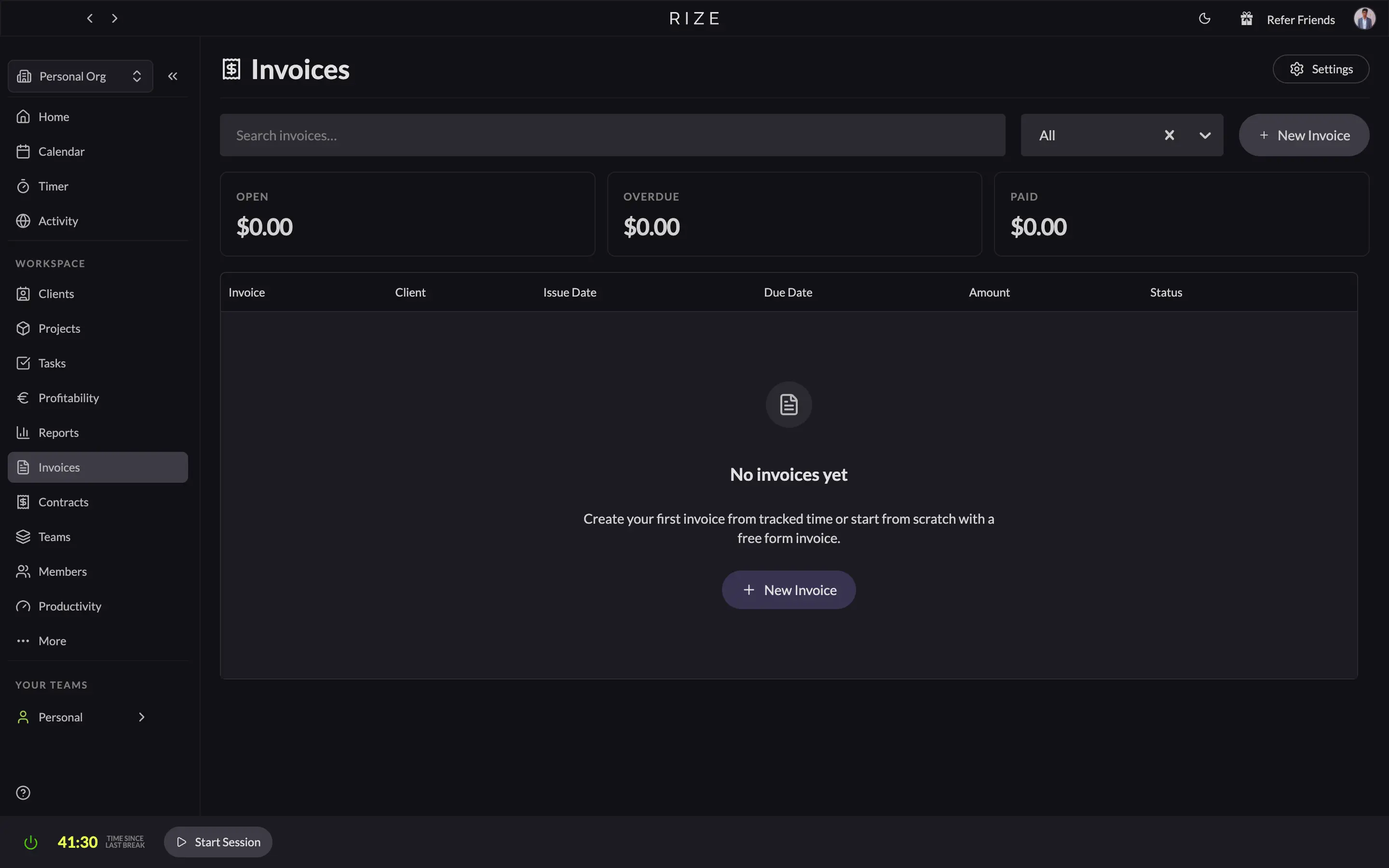
Rize builds invoices from the time it captured automatically. Pick a client and a date range, review the line items, send the PDF, and record payments as they land. Invoices live per team and roll up on the organization Invoices page.
Create an invoice
Pick a client and a date range
Open Invoices, choose New Invoice, and select the client and period. Rize pulls in the billable tracked time for that client and turns it into line items.
Review the line items
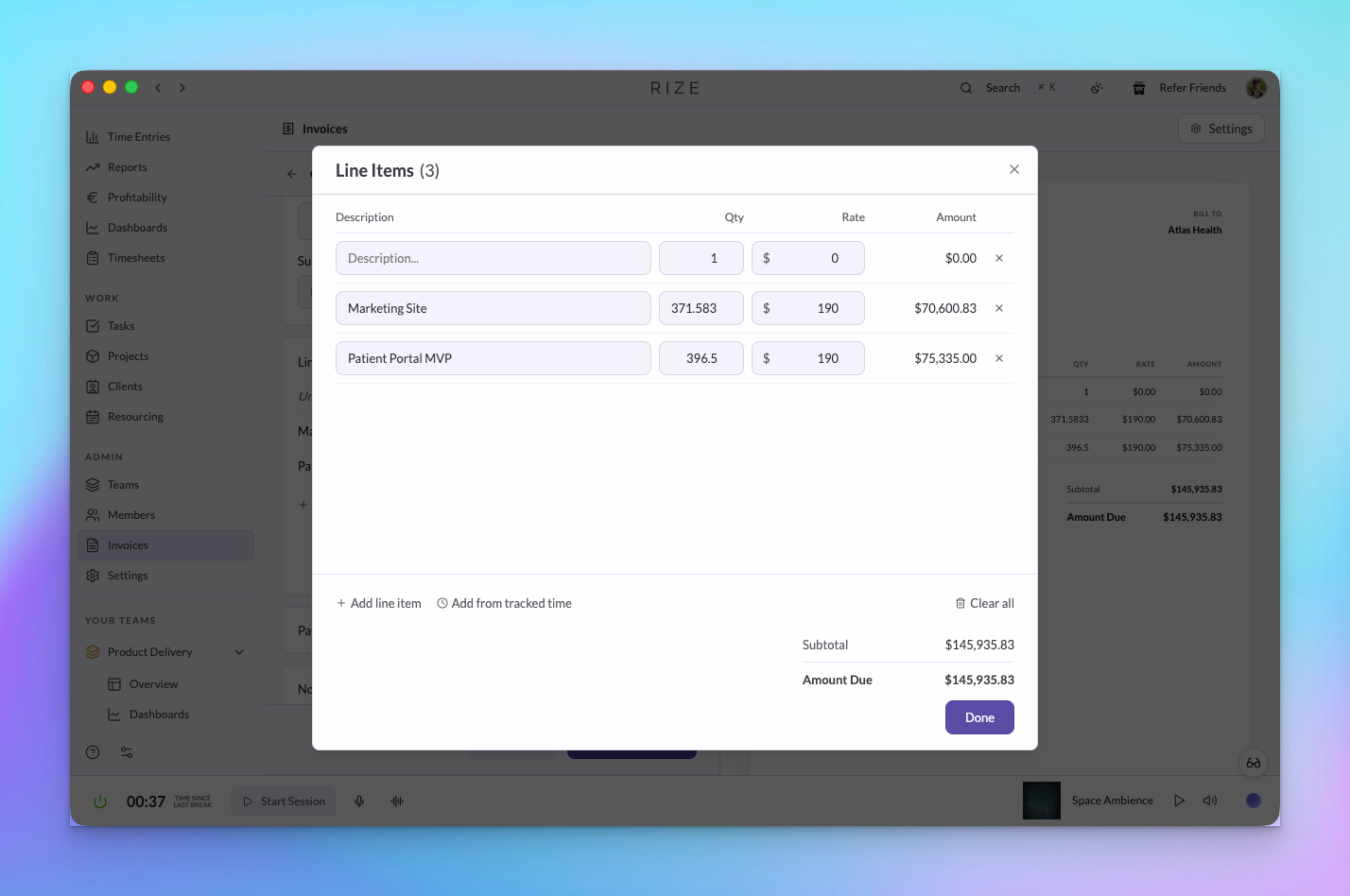
Open the tracked time behind any line to check the entries. Adjust quantities, rates, and descriptions, or add a manual line for work Rize did not capture.
Set terms and recipients
Add payment terms and payment instructions, choose the recipients, and set the currency for the client.
Send
Rize emails the PDF to the recipients and moves the invoice to Sent. Copy the PDF for your own records at any point.
Line item descriptions
Set a description format once and every generated line item follows it. Combine tokens for the date, client, project, task, member, and entry description, for example {{date}} – {{project}}: {{task}}. The preview shows every line item as it will appear before you confirm. The format is saved for your organization, and hybrid contract overage lines use it too.
Billing details
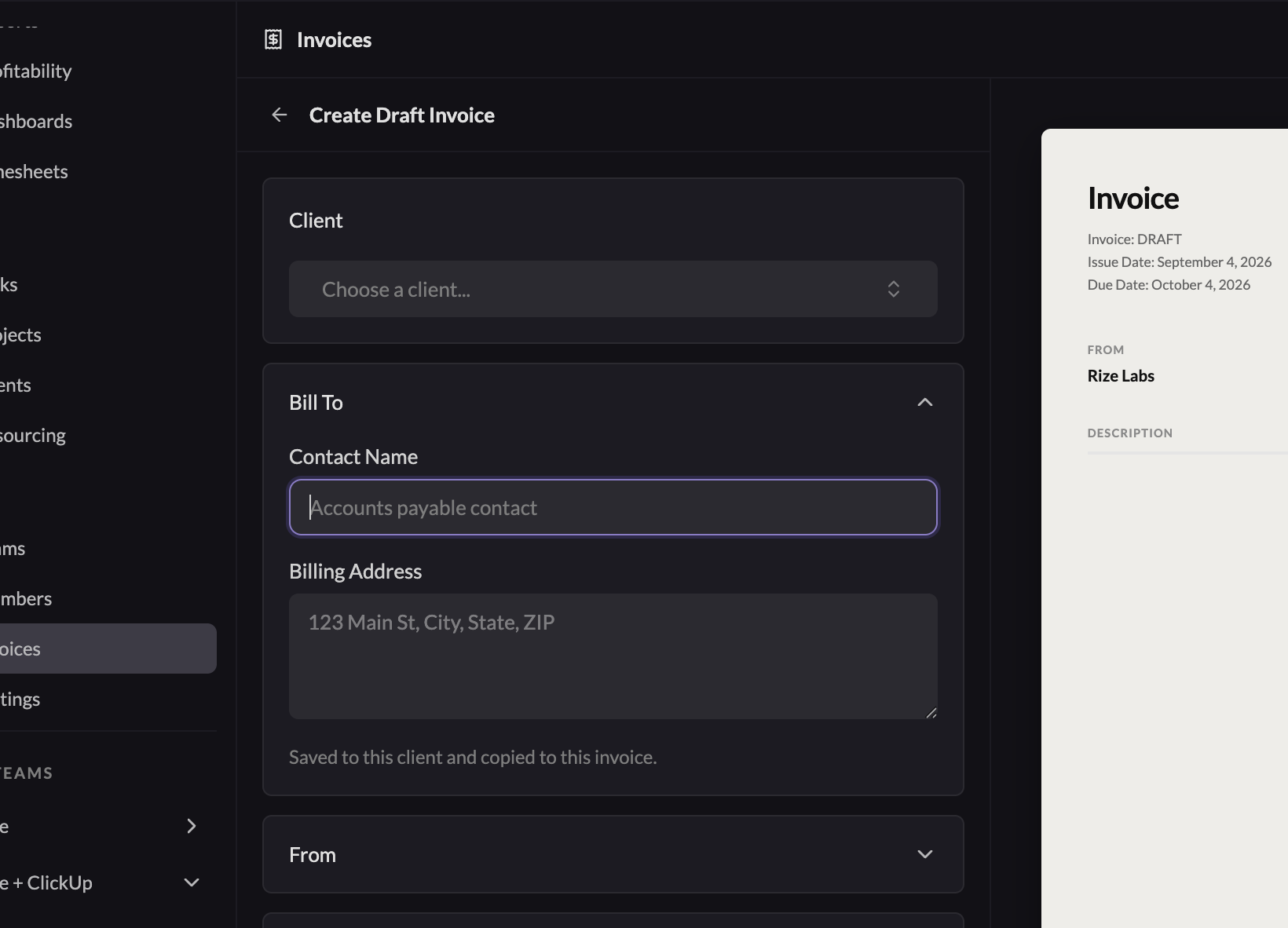
The Bill To block starts with the client's billing contact and address. If you edit those details on a draft invoice, Rize updates both the invoice and the client's defaults.
Once you send an invoice, its billing details are frozen. The preview, PDF, and email all use that saved snapshot, even if the client's defaults change later.
Record payments and void mistakes
Record a full or partial payment from the invoice and the outstanding balance updates. Once fully paid the invoice moves to Paid.
If an invoice is wrong, void it. Voided invoices remain visible with their status and timestamp, and the invoice number is not reused, so your records stay clean for accounting.
Organization Invoices
The organization Invoices page lists invoices from every team with status, search, and summary totals for drafted, sent, outstanding, and paid, and holds the organization's invoice settings such as the line item format.
Nothing changes. CSV export and the Zapier integration still work, and built-in invoicing is an option rather than a replacement. Card payment processing on the invoice itself is still handled by those tools.
Invoices are not yet available in the public API or MCP.