Assigning Time to Tasks
Rize allows you to assign your tracked time to specific tasks, helping you better understand how your time is distributed across different activities.
Manually Assigning Time
You can manually assign time to tasks using Activities or Entries from the Home tab.
Assigning Time Using Activities
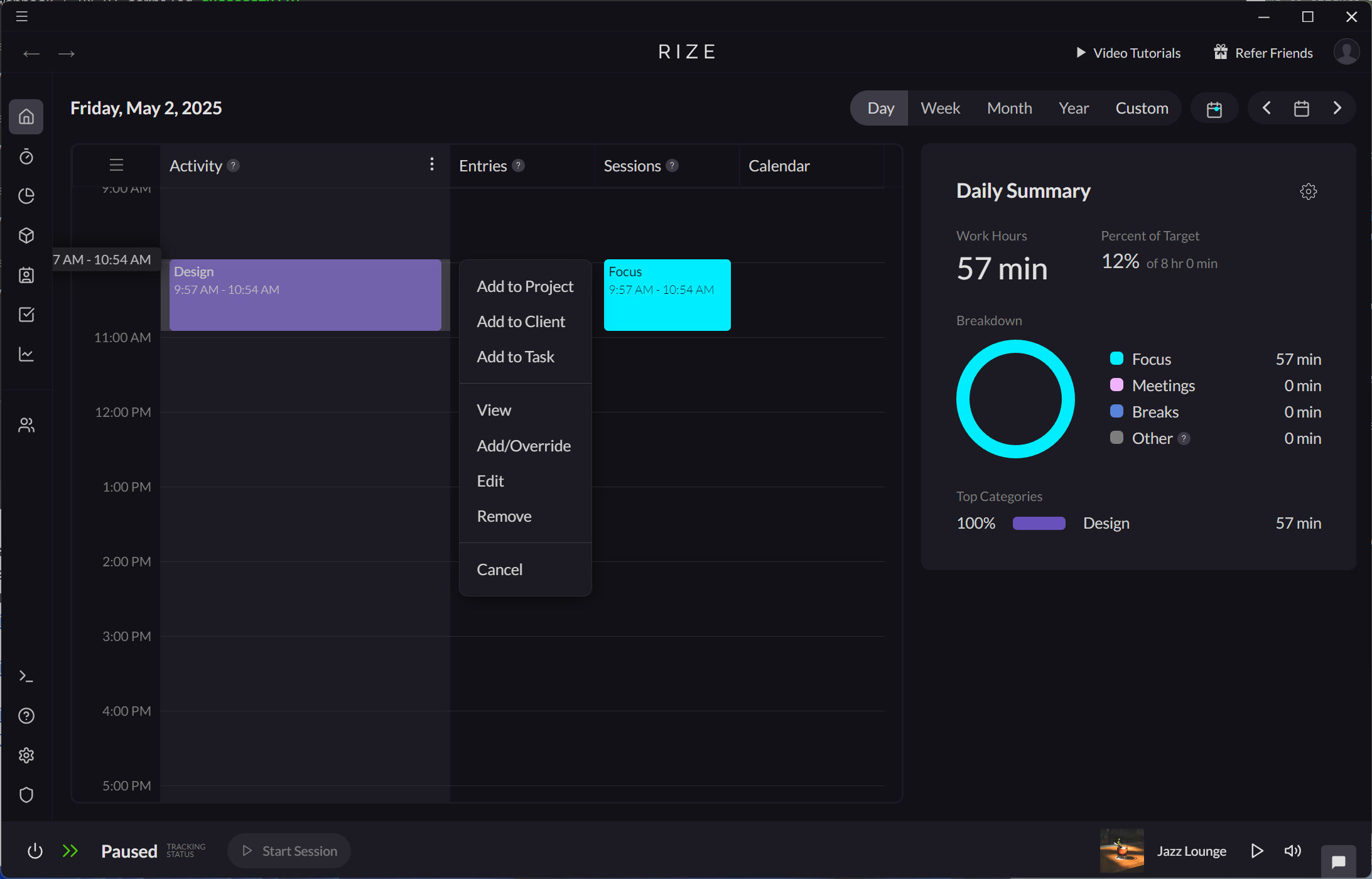
- Select an existing activity on the Activity timeline.
- Select "Add to Task."
- After selecting a task and saving, the time spent on the activity will be included in that task.
Assigning Time Using Entries
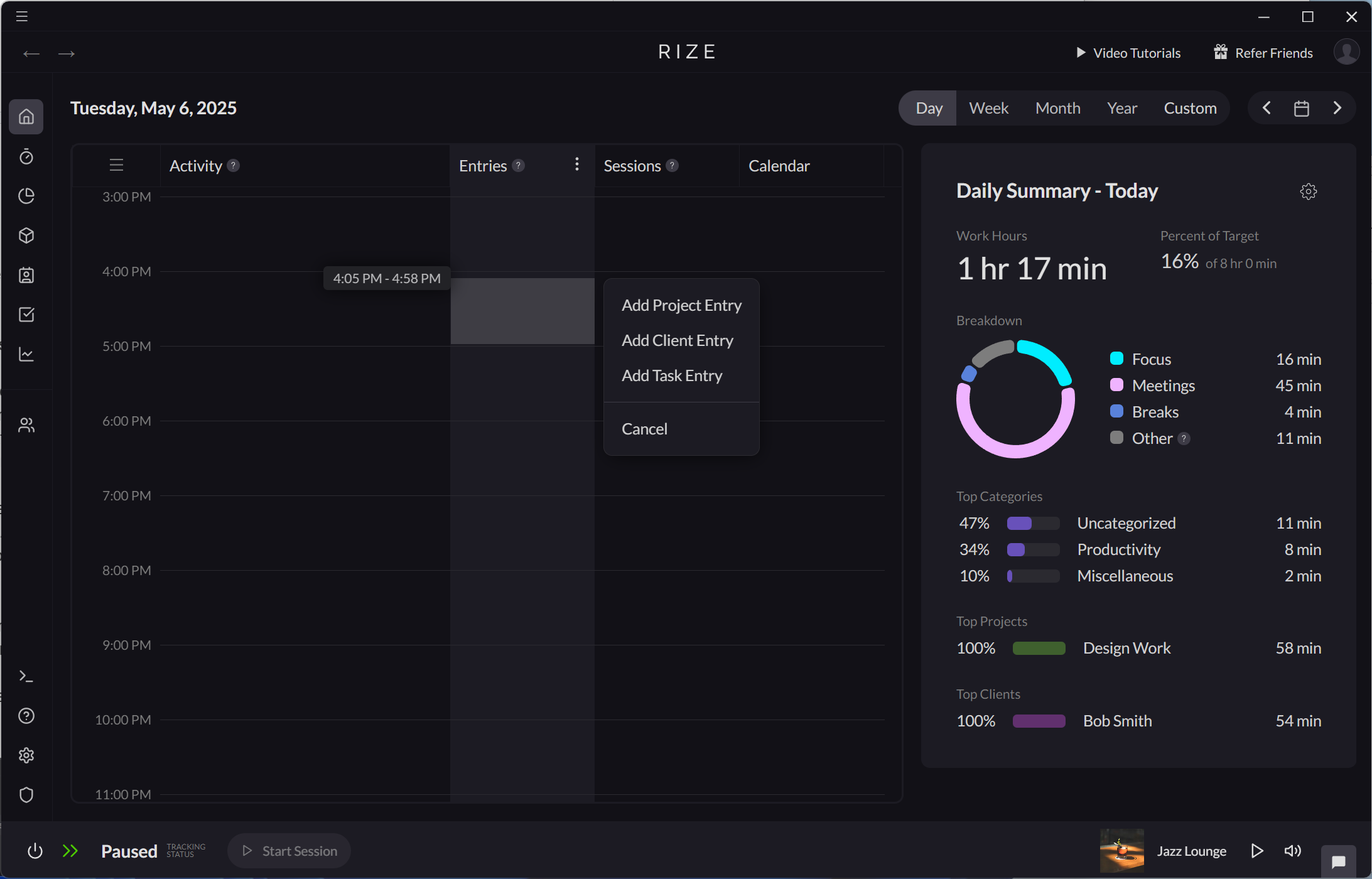
- Drag and drop on the Entry timeline.
- Select "Add Task Entry."
- After selecting a task and saving, the time spent on the entry will be included in that task.
AI-Powered Suggestions
Rize automatically suggests Tasks for every Time Entry using advanced AI. The system learns from your work patterns and improves over time, making suggestions more accurate as you use Rize.
When creating or editing a time entry, Rize will automatically suggest relevant tasks based on:
- Your recent work patterns
- Keywords associated with tasks
- Your historical time tracking data
You can accept these suggestions with a single click, or manually select a different task.
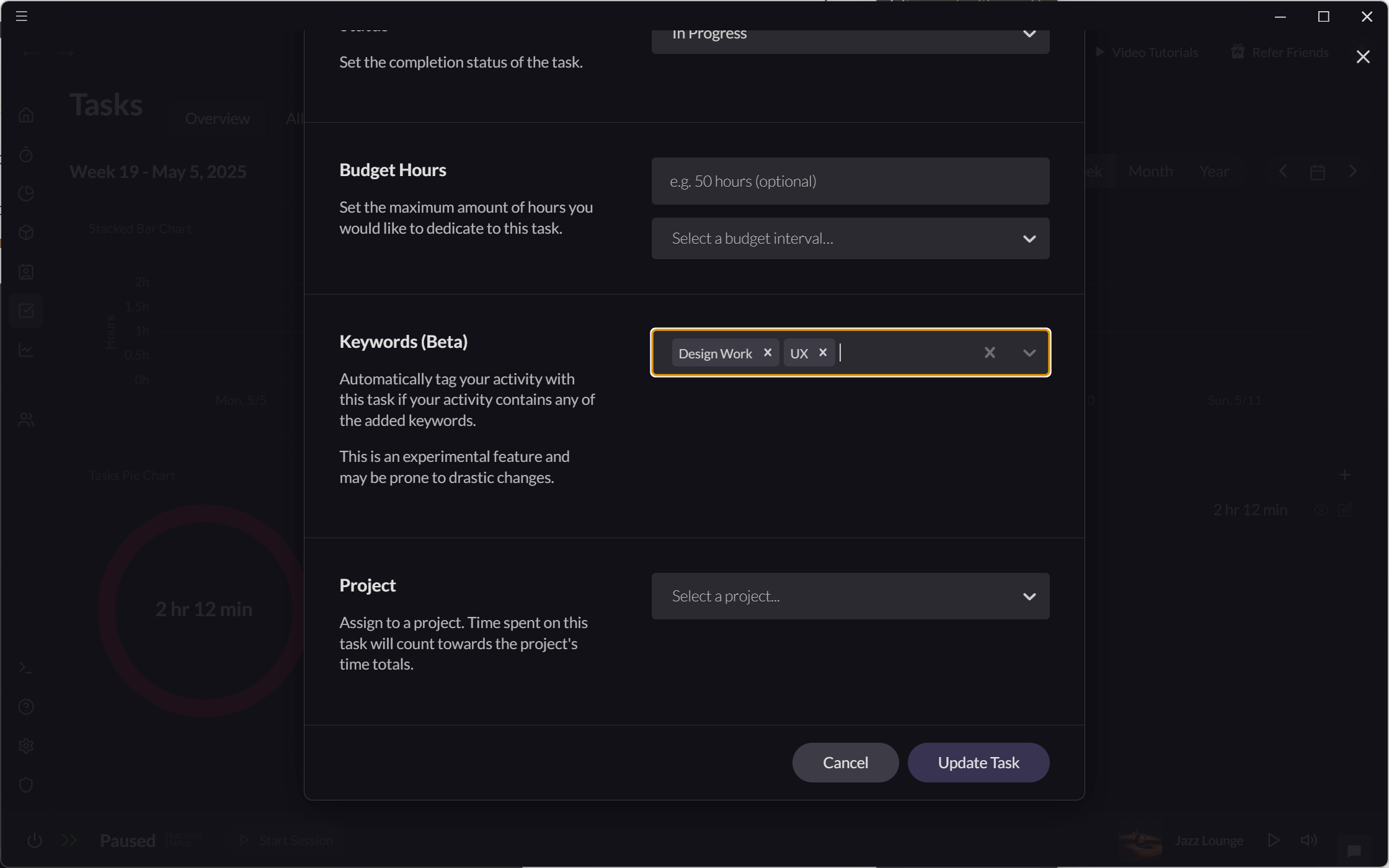
You can add keywords to teach Rize's AI how to recognize your work automatically. Add keywords in the "Edit Task" modal to improve suggestion accuracy.
Automatic Assignment Using Keywords
Rize can automatically assign time to tasks based on keywords.
- Add keywords for each task in their "Edit Task" modal.
- When you log time with these keywords, it will be assigned automatically to the corresponding task.